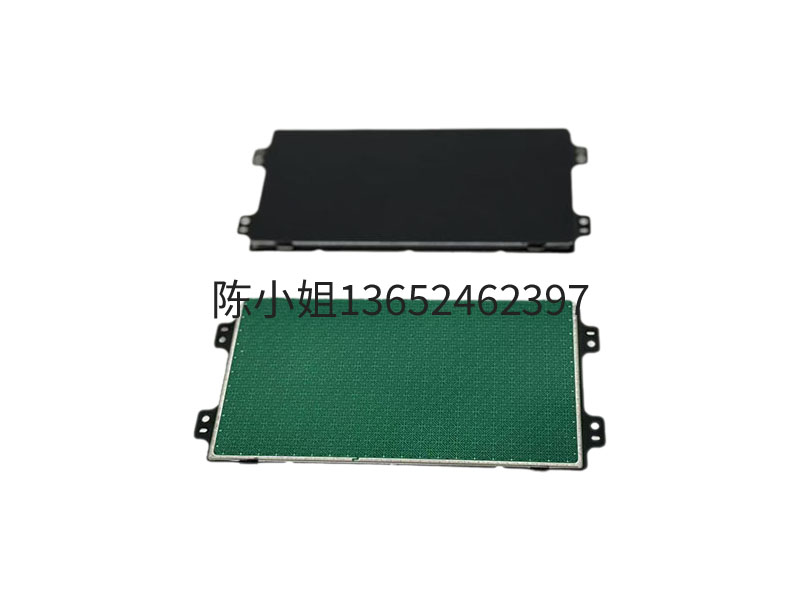
The Touchpad or Trackpad, as an input device that controls the pointer by sensing the movement of the finger, has been widely applied in multiple fields due to its intuitive operation, space-saving and convenient interaction features, as follows:
I. Consumer electronics field: Core interaction tools for portable devices
Laptop
The basic function replaces the mouse: The touchpad controls the pointer movement through single-finger sliding, simulates the left mouse button with single-finger clicking, and simulates the right mouse button with two-finger clicking, meeting the daily operation needs.
Advanced gesture operations: Supports two-finger scrolling of pages, three-finger switching of programs (such as swiping up with three fingers to open the task view and swiping down to return to the desktop), and four-finger invocation of the notification center, etc., enhancing the efficiency of multitasking. For example, the Force Touch touchpad of Apple's MacBook supports pressure sensing, enabling layered operations such as quick preview under heavy pressure and click under light pressure.
Game scene application: In strategy games, the touchpad can flexibly control the panning and zooming of the perspective. Some games also support custom gestures (such as swiping with four fingers to switch weapons).
Tablet computers and 2-in-1 devices
Thin and light design support: The touchpad is thin and can be integrated into ultra-thin devices or keyboards. For instance, the Microsoft Surface series achieves an operation experience similar to that of a notebook through the touchpad.
Hybrid input mode: Combining the touchscreen and stylus, the touchpad offers precise text selection and drag-and-drop functions, making it suitable for office scenarios (such as editing documents and adjusting tables).
Ii. Industrial and Commercial Fields: Efficient control and Information Display
Industrial Control and Automation
Industrial control HMI panel: In scenarios such as production line monitoring and equipment debugging, the touchpad can withstand high-temperature and oily environments and supports glove operation, ensuring stable use under harsh working conditions.
AGV robot interaction terminal: The high-brightness touchpad remains clearly visible in strong light, making it convenient for operators to remotely control the robot's path.
Commercial display and advertising
Digital signage and advertising machines: The touchpad is integrated into the high-definition display screen, enabling users to enhance the interactive experience and improve the efficiency of information dissemination through gesture operations (such as zooming in and out of pictures and swiping to switch content).
Interactive electronic whiteboard: In educational or meeting scenarios, the touchpad supports handwriting input and multi-touch, enabling real-time annotation, file drag-and-drop and other functions, and promoting collaboration efficiency.
Iii. Medical and Public Services Sector: Precise operation and convenient interaction
Medical equipment
Portable monitor: The touchpad simplifies the medical care process. Doctors can view patient data by swiping with one finger and adjust chart details by zooming with two fingers, reducing the cleaning and maintenance costs of physical buttons.
Medical imaging display: High-resolution touchpad assists in precise diagnosis, supporting doctors to analyze CT and MRI images through gesture operations (such as rotation and annotation).
Public service facilities
Information query all-in-one machine: In places such as airports and museums, the touchpad, in conjunction with the touch screen, enables functions like information on-demand and spatial navigation. Users can quickly switch pages or zoom in on the map through gestures.
Electronic signature and message system: The touchpad integrated with pressure-sensing technology supports handwriting input. Users can directly sign or leave messages on the screen, and the data is automatically stored in the system.
Iv. Smart Home and In-Vehicle Systems: Seamless Integration and Safety Control
Smart home central control screen
Multi-device linkage: The touchpad is integrated into the central control screen, allowing users to control systems such as temperature control, security, and lighting through gesture operations (such as sliding to switch scene modes or zooming in and out with two fingers to adjust light brightness).
Voice + touch integration: Some devices support voice command wake-up, and then quickly locate options (such as adjusting volume and selecting music) through the touchpad, enhancing operational convenience.
Automobile navigation system
Driver-friendly design: The touchpad is located near the steering wheel or the center console, reducing the time the driver's gaze is off. It supports single-finger sliding to adjust the map perspective and two-finger zooming to view details. Some systems also integrate pressure sensors to prevent accidental touches.
V. Innovative Application Scenarios: Technology Integration Expands Boundaries
Virtual Reality (VR) and Augmented Reality (AR
Gesture interaction supplement: In VR/AR devices, touchpads can be integrated into controllers or headsets, allowing users to select menus and adjust parameters through operations such as sliding and clicking, making up for the accuracy deficiency of pure gesture recognition.
Wearable devices
Smartwatches and bracelets: A micro touchpad is embedded on the side of the watch face, allowing users to switch function interfaces by sliding and confirm operations by clicking, enhancing the one-handed usage experience.
Barrier-free technology
Auxiliary function support: The touchpad driver offers functions such as sensitivity adjustment and gesture customization, facilitating disabled users to operate the device through specific gestures (such as a three-finger click to invoke a voice assistant).
Dongguan Jingzhuan Electronic Technology Co., Ltd. © Copyright 2025
【Backend】本站相关网页素材及相关资源均来源互联网,如有侵权请速告知,我们将会在24小时内删除